Global wallet provider access is a gated feature. Before implementing global wallets as a
provider, request access by navigating to Global wallet > My
app in the Privy Dashboard and clicking the
Request access button.
Configuring your app as a provider
Once approved to be a global wallet provider, you can configure your app to share your users’ embedded wallets with other apps. To become a provider and share your users’ embedded wallets with other apps, confirm that the following prerequisites are complete in the Privy Dashboard (navigate to the User management > Global Wallet section):- App must be production.
- HTTPOnly cookie domain must be enabled and verified.
- App logo must be uploaded.
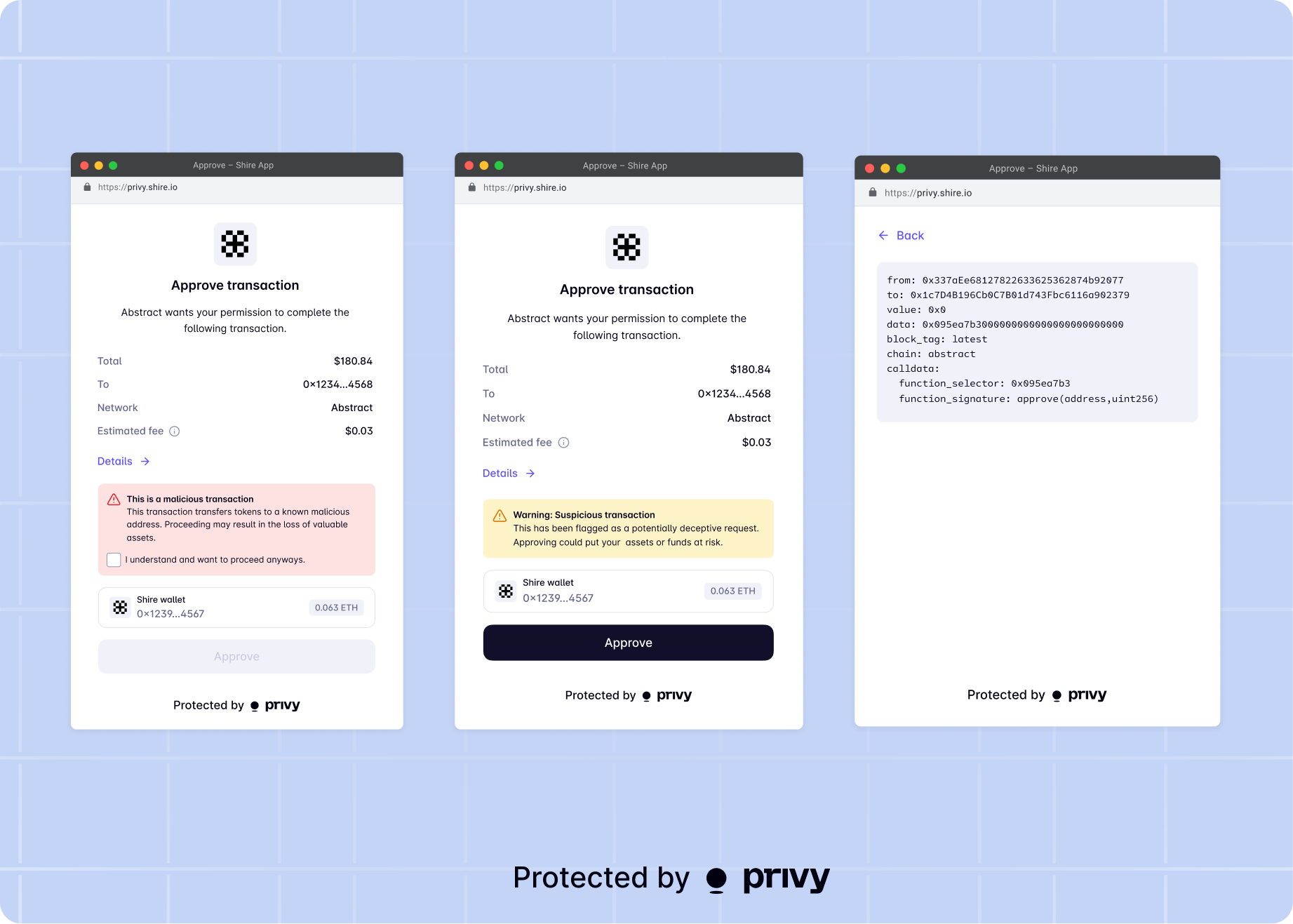
Transaction scanning
As an additional security feature, Privy is integrated with Blockaid transaction scanning to ensure that all transactions from your users’ global wallets are safe and secure. Transaction scanning has two levels of security; validation and simulation. With transaction validation, users will be notified if the transaction has been flagged by Blockaid as suspicious or malicious. Blockaid will also simulate the transaction with the wallet, showing the token and USD value or exposure difference if the transaction is approved.