

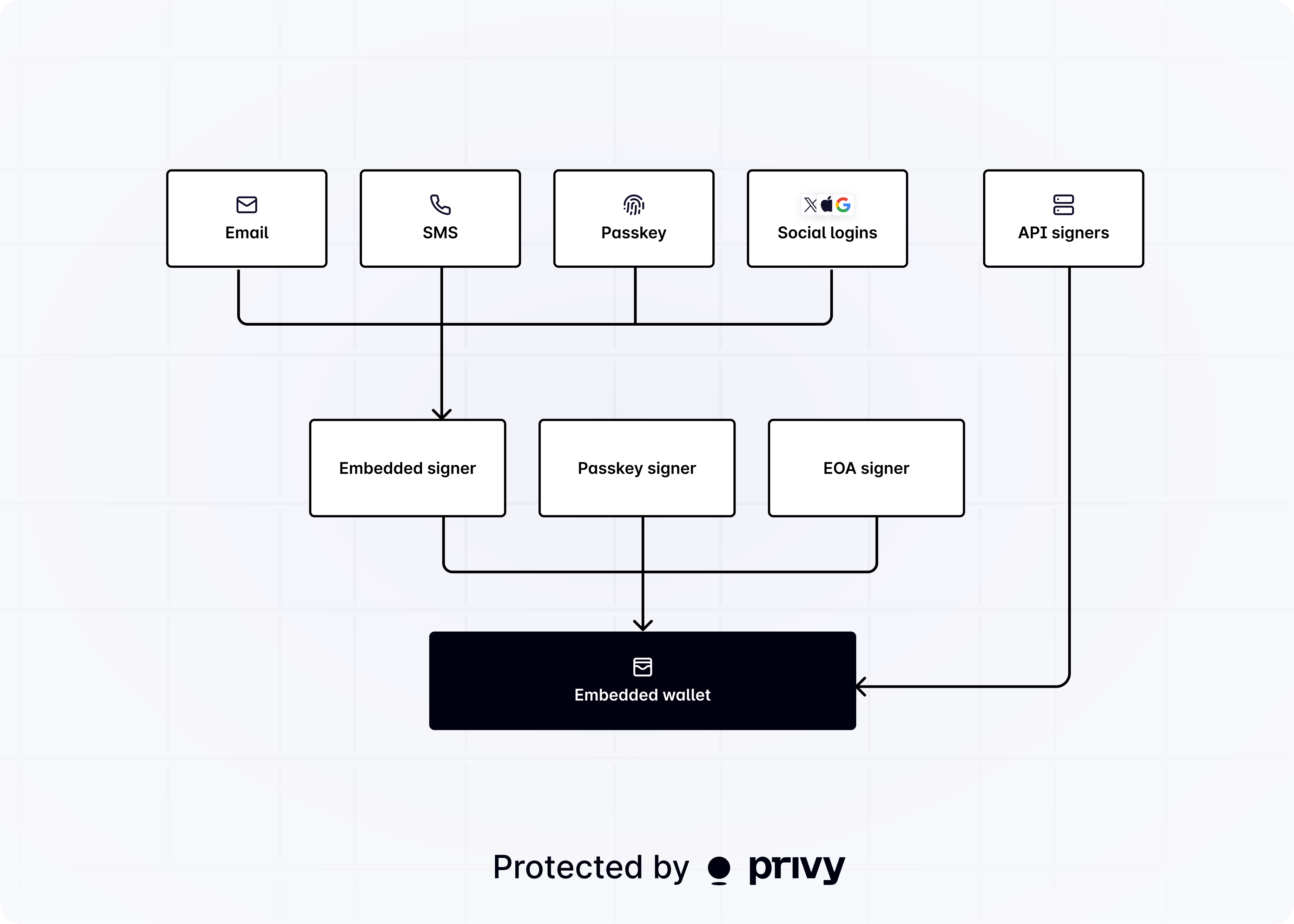
Individual user authentication
Privy is a powerful toolkit for progressive authentication of individual end users. Fine-grained control over onboarding flows and wallet connections helps improve conversion and craft better UX. Your app can authenticate users across web2 and web3 accounts, using either an existing authentication provider or Privy’s authentication system.Using Privy as the authentication provider
If your app doesn’t have an existing authentication provider, or needs a single provider for authentication and embedded wallets, your app can use Privy’s authentication system, which supports both web2 and web3 accounts. Privy’s client-side SDKs offers a variety of authentication methods, including email, SMS, passkey, socials (Google, Apple, Twitter, Farcaster, etc.), any OAuth system, and Ethereum and Solana wallets.Using an existing authentication provider
If your app already has an authentication provider, Privy integrates with your app’s existing authentication system. This includes any OIDC compliant authentication system, including OAuth 2.0, Auth0, Firebase, AWS Cognito, and more. Your app can integrate an existing authentication provider with Privy via the REST API or any of Privy’s client-side SDKs.Authentication security levels
Privy’s login methods fall into two categories based on their trust model:Delegated authentication
A third party controls the credential. Account access depends on that provider remaining available and cooperative. Examples: Google, Apple, Twitter, Discord, Telegram, email OTP, SMSDirect authentication
The user owns the credential outright. No third party can revoke or suspend access. Examples: passkeys (WebAuthn), hardware keys (YubiKey), TOTP authenticator appsGet started
Login users with their email
Authenticate users using just their email address and a one-time passcode.
Login with metamask
Authenticate users with their externally owned Ethereum or Solana wallets.
Set up MFA
Require passkey or authenticator app MFA to protect delegated logins.
Seamless Farcaster Mini App login
Allow your users to sign into your Farcaster Mini App seamlessly with Privy.