> ## Documentation Index
> Fetch the complete documentation index at: https://docs.privy.io/llms.txt
> Use this file to discover all available pages before exploring further.
# Overview
> Global wallets enable users to use a single wallet identity across multiple Privy-powered applications.
Privy embedded wallets can be made interoperable across apps, making it easy for you to launch your own **global wallet**. In this setup, global wallets foster a cross-app ecosystem where users can easily port their wallets from one app to another, including by integrating wallet connector solutions like RainbowKit and wagmi.
Using **global wallets**, users can seamlessly move assets between different apps and can easily prove ownership of, sign messages, or send transactions with their existing wallets.
Global wallet provider access is a gated feature. Before implementing global wallets as a
provider, request access by navigating to [Global wallet > My
app](https://dashboard.privy.io/apps?page=ecosystem) in the Privy Dashboard and clicking the
**Request access** button.
 ## Providers and requesters
Suppose that Alice is logged in to **App A** and wants to connect with her **App B** wallet to prove she owns an asset. In this setup:
* App A is the **requester app**: it *requests* access to a third-party wallet.
* App B is the **provider app**: it *provides* access to embedded wallets generated on its app.
The **provider** and **requester** nomenclature will be used throughout this documentation and the SDK interfaces.
## Choosing your role
Apps can be a provider, a requester, or both, depending on the cross-app wallet experience they want to enable. Use the flowchart below to determine which role fits the app's needs.
```mermaid theme={"system"}
%%{init: {'theme':'base', 'themeVariables': {'primaryColor':'#e1f5ff','primaryTextColor':'#1a1a1a','primaryBorderColor':'#0066cc','lineColor':'#666666','secondaryColor':'#d4f1d4','tertiaryColor':'#fff4d4','noteBkgColor':'#f0e5ff','noteTextColor':'#1a1a1a'}}}%%
flowchart TD
Start([What does the app need?]) --> Question1{Does the app have users
## Providers and requesters
Suppose that Alice is logged in to **App A** and wants to connect with her **App B** wallet to prove she owns an asset. In this setup:
* App A is the **requester app**: it *requests* access to a third-party wallet.
* App B is the **provider app**: it *provides* access to embedded wallets generated on its app.
The **provider** and **requester** nomenclature will be used throughout this documentation and the SDK interfaces.
## Choosing your role
Apps can be a provider, a requester, or both, depending on the cross-app wallet experience they want to enable. Use the flowchart below to determine which role fits the app's needs.
```mermaid theme={"system"}
%%{init: {'theme':'base', 'themeVariables': {'primaryColor':'#e1f5ff','primaryTextColor':'#1a1a1a','primaryBorderColor':'#0066cc','lineColor':'#666666','secondaryColor':'#d4f1d4','tertiaryColor':'#fff4d4','noteBkgColor':'#f0e5ff','noteTextColor':'#1a1a1a'}}}%%
flowchart TD
Start([What does the app need?]) --> Question1{Does the app have users
with embedded wallets?}
Question1 -->|No| Requester1[Integrate as a
REQUESTER]
Question1 -->|Yes| Question2{Should users access
their wallets from
this app in other apps?}
Question2 -->|Yes| Provider[Become a PROVIDER
Share app ID]
Question2 -->|No| Question3{Should the app accept
wallets from other apps?}
Question3 -->|No| Neither[No global wallet
integration needed]
Question3 -->|Yes| Both[Configure as BOTH
Provider + Requester]
Requester1 --> RequesterDetails[Requester integration
━━━━━━━━━━━━━━━
✓ Reference provider app IDs
✓ Users login/link wallets
✓ 2 lines of code RainbowKit
✓ No Privy SDK required]
Provider --> ProviderQ{Allow transactions or
just address verification?}
ProviderQ -->|Just verification| ProviderRO[Provider: Read-only mode
━━━━━━━━━━━━━━━
✓ Enable in Dashboard
✓ Set read-only mode
✓ Users prove ownership
✗ No signatures/transactions]
ProviderQ -->|Allow transactions| ProviderFull[Provider: Full mode
━━━━━━━━━━━━━━━
✓ Enable in Dashboard
✓ Full transaction mode
✓ Enable Blockaid scanning
✓ Users explicitly consent]
Both --> BothDetails[Dual integration
━━━━━━━━━━━━━━━
As provider:
✓ Share app ID
✓ Users port wallets out
As requester:
✓ Accept partner wallets
✓ Reduce onboarding friction]
classDef startClass fill:#e1f5ff,stroke:#0066cc,stroke-width:2px,color:#1a1a1a
classDef providerClass fill:#d4f1d4,stroke:#2d8659,stroke-width:2px,color:#1a1a1a
classDef requesterClass fill:#fff4d4,stroke:#cc9900,stroke-width:2px,color:#1a1a1a
classDef bothClass fill:#f0e5ff,stroke:#8855cc,stroke-width:2px,color:#1a1a1a
classDef neitherClass fill:#f5f5f5,stroke:#999999,stroke-width:2px,color:#1a1a1a
classDef providerFullClass fill:#a8e6a8,stroke:#2d8659,stroke-width:2px,color:#1a1a1a
class Start startClass
class Provider,ProviderRO providerClass
class Requester1,RequesterDetails requesterClass
class Both,BothDetails bothClass
class Neither neitherClass
class ProviderFull providerFullClass
```
### Provider vs. requester comparison
| Feature | Provider | Requester |
| ---------------------- | ----------------------------------- | ---------------------------------- |
| **Setup** | Enable toggle in Dashboard | Reference provider app IDs in code |
| **Code required** | Dashboard configuration only | 2 lines with RainbowKit |
| **Privy SDK needed** | Yes | Optional |
| **User flow** | Users consent to share wallets | Users link or login with wallets |
| **Security control** | Set read-only mode, enable Blockaid | Inherits provider's settings |
| **Dashboard location** | My app tab | Integrations tab |
| **Use case** | Enable cross-app wallet ecosystem | Reduce onboarding friction |
An app should become a provider if it:
* Has existing users with embedded wallets that could be valuable in other apps
* Wants to build network effects by enabling users to leverage their wallets across partner apps
* Wants to increase user retention through cross-app utility
* Wants to control security settings like read-only mode or Blockaid transaction scanning
Global wallet provider access is a gated feature. Before implementing global wallets as a
provider, request access by navigating to [Global wallet > My
app](https://dashboard.privy.io/apps?page=ecosystem) in the Privy Dashboard and clicking the
**Request access** button.
**Setup:** Navigate to Dashboard > Global Wallet > My app and enable the toggle.
An app should integrate as a requester if it:
* Wants to reduce onboarding friction by letting users sign in with existing wallets
* Does not want to manage wallet creation, recovery, or infrastructure
* Wants users to bring assets and identity from other apps
* Wants quick integration using standard wallet connectors like RainbowKit or ConnectKit
**Setup:** Reference provider app IDs and use `toPrivyWallet()` or Privy hooks.
An app should configure both roles if it:
* Wants maximum wallet interoperability in both directions
* Is building a partnership ecosystem with other apps
* Wants users to both import wallets from partners and export wallets to partners
* Wants to tap into other ecosystems while building its own
**Setup:** Enable provider settings in Dashboard and integrate requester code for partner wallets.
## User consent and security
Privy requires that users explicitly confirm all wallet actions in a cross-app context.
**Global wallets are built to safeguard user privacy and security.** No app developer can view user assets or learn about their address without both:
* The provider app opting into cross-app flows.
* The user explicitly consenting to share their wallet information with the requester app.
By enabling cross-app functionality, the provider's Privy app (hosted on an isolated subdomain) acts as an OAuth-compliant authentication provider. This means requesting apps can initiate the connection, and if the user approves:
* Users are granted a custom access token to make future requests to the provider wallet
* The user's wallet addresses are then attached to the requester's user object as a new cross-app linked account
* If the provider allows for the wallet to be used for signatures and transactions, the requester can request signatures and transactions using the custom access token. Providers can also choose to make their wallets available in read-only mode.
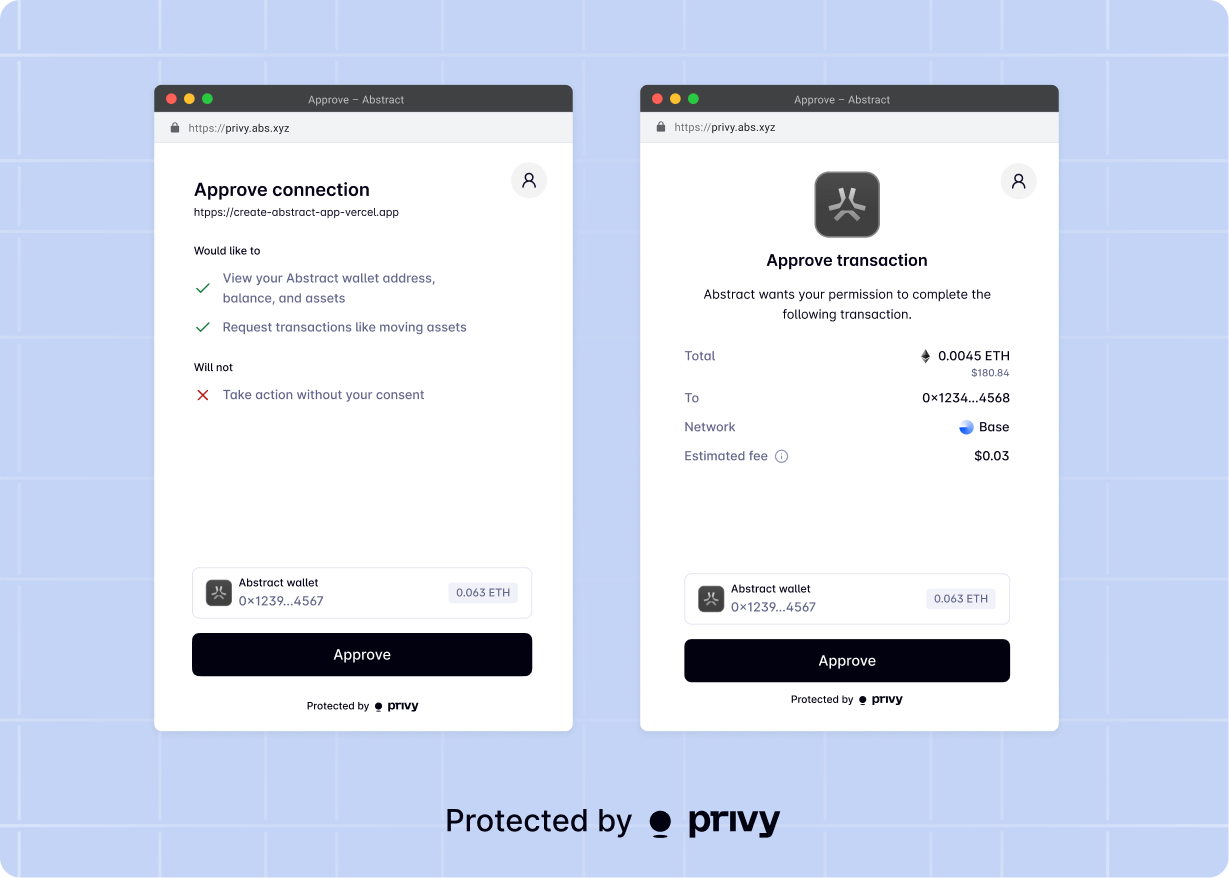
Privy enables the provider to opt into cross-app wallets in **read-only** mode, enabling the requester app to view the user's wallet address but not prompt the user to transact. If transactions are enabled, the user will always be redirected to the isolated subdomain to explicitly approve them, in addition to needing to be logged in to the provider site and holding the custom access token.
Concretely, this means that when a requester app requests a signature or transaction from a user's cross-app wallet, Privy will open up a pop-up to the isolated subdomain, where **the user must confirm the action explicitly.** This means requesters cannot customize wallet prompts when interacting with a provider wallet, and cannot prompt users to export private keys from a provider wallet.