> ## Documentation Index
> Fetch the complete documentation index at: https://docs.privy.io/llms.txt
> Use this file to discover all available pages before exploring further.
# Overview
> Launch your app as a global wallet provider by enabling a base domain for shared wallets.
**Providers** are apps that enable their users' embedded wallets to be used in other apps. Becoming a provider enables your users to use their embedded wallets and assets from your app elsewhere, allowing them to transact from an existing balance, aggregate assets, and more.
Global wallet provider access is a gated feature. Before implementing global wallets as a
provider, request access by navigating to [Global wallet > My
app](https://dashboard.privy.io/apps?page=ecosystem) in the Privy Dashboard and clicking the
**Request access** button.
Before sharing your users' wallets as a provider app, you must enable a **base domain** for your app.
**Enabling a base domain helps secure your users' wallets in a cross-app context.** Read more about [security for cross-app wallets](/wallets/global-wallets/overview) and follow [this guide](/recipes/react/cookies) to set up a base domain!
## Configuring your app as a provider
Once approved to be a global wallet provider, you can configure your app to share your users' embedded wallets with other apps.
To become a provider and share your users' embedded wallets with other apps, confirm that the following prerequisites are complete in the **Privy Dashboard** (navigate to the **User management > [Global Wallet](https://dashboard.privy.io/apps?page=ecosystem)** section):
1. App must be production.
2. HTTPOnly cookie domain must be enabled and verified.
3. App logo must be uploaded.
You can then enable **Make my wallets available for other apps to integrate** to see your app displayed on the [Integrations](https://dashboard.privy.io/apps?tab=integrations\&page=ecosystem) tab for other Privy apps to integrate.
## Transaction scanning
As an additional security feature, Privy is integrated with [Blockaid](https://www.blockaid.io/) transaction scanning to ensure that all transactions from your users' global wallets are safe and secure.
Transaction scanning has two levels of security; **validation** and **simulation**. With transaction validation, users will be notified if the transaction has been flagged by Blockaid as suspicious or malicious. Blockaid will also simulate the transaction with the wallet, showing the token and USD value or exposure difference if the transaction is approved.
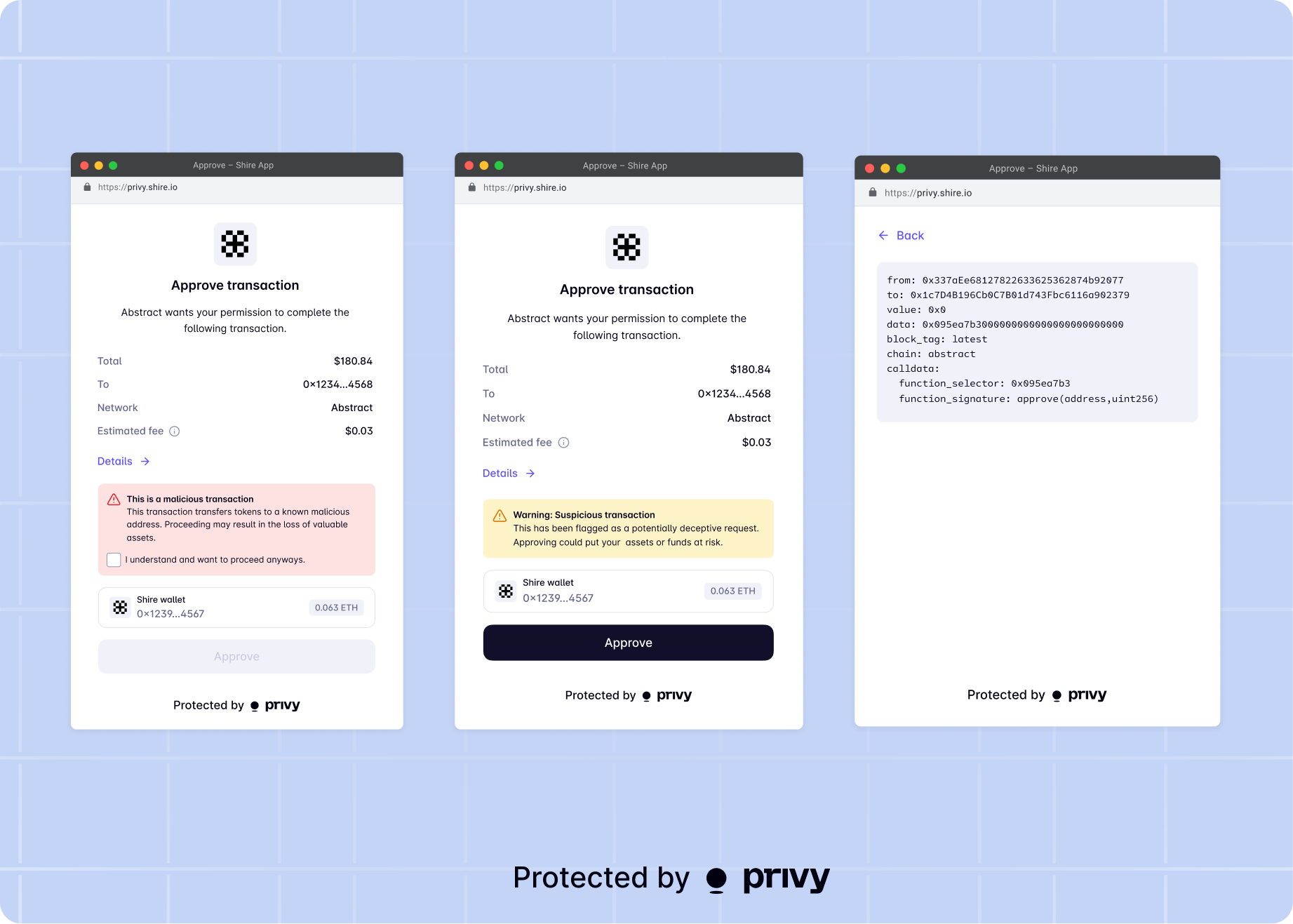 To enable transaction scanning for your global wallet users, navigate to the [Global wallet > My app](https://dashboard.privy.io/apps?page=ecosystem) page of the Privy Dashboard and toggle the **Blockaid transaction simulation** setting on.
Privy has a default API key your app can use for testing but to prevent rate limiting your app should **configure its own Blockaid API key** in the dashboard.
## Read-only mode
When sharing your users' embedded wallets with other apps, your users are protected from any malicious developer. Usage of embedded wallets across apps are strictly domain-segregated and every user action requires explicit consent in a third-party app.
If you would like to limit the scope of your users' wallets to only be read-only in other apps, click the **Read-only mode** checkbox within the [**My app**](https://dashboard.privy.io/apps?tab=app\&page=ecosystem) tab. With this setting enabled, requester apps may see your user's wallet addresses, but not request signatures or transactions from them.
This may be particularly useful for setups where users verifying ownership of assets from your app in other apps, but not necessarily transacting with them.
To enable transaction scanning for your global wallet users, navigate to the [Global wallet > My app](https://dashboard.privy.io/apps?page=ecosystem) page of the Privy Dashboard and toggle the **Blockaid transaction simulation** setting on.
Privy has a default API key your app can use for testing but to prevent rate limiting your app should **configure its own Blockaid API key** in the dashboard.
## Read-only mode
When sharing your users' embedded wallets with other apps, your users are protected from any malicious developer. Usage of embedded wallets across apps are strictly domain-segregated and every user action requires explicit consent in a third-party app.
If you would like to limit the scope of your users' wallets to only be read-only in other apps, click the **Read-only mode** checkbox within the [**My app**](https://dashboard.privy.io/apps?tab=app\&page=ecosystem) tab. With this setting enabled, requester apps may see your user's wallet addresses, but not request signatures or transactions from them.
This may be particularly useful for setups where users verifying ownership of assets from your app in other apps, but not necessarily transacting with them.