> ## Documentation Index
> Fetch the complete documentation index at: https://docs.privy.io/llms.txt
> Use this file to discover all available pages before exploring further.
# Setup
Fiat deposits require a verified entity on the wallet and a provider configured for server-side flows.
## Verify the wallet's entity
A deposit account is created against the verified person or business the wallet is attributed to, called its [entity](/kyc-kyb/entities). That entity must have completed verification:
* [KYC](/kyc-kyb/kyc) for individuals
* [KYB](/kyc-kyb/kyb) for organizations
Wallets created for a user are [attributed automatically](/kyc-kyb/entities#automatic-attribution). Wallets created server-side with an app secret are not, even when their owner is a user, so those must have an entity [assigned explicitly](/kyc-kyb/entities#assign-an-entity) before a deposit account can be created.
## Configure the provider
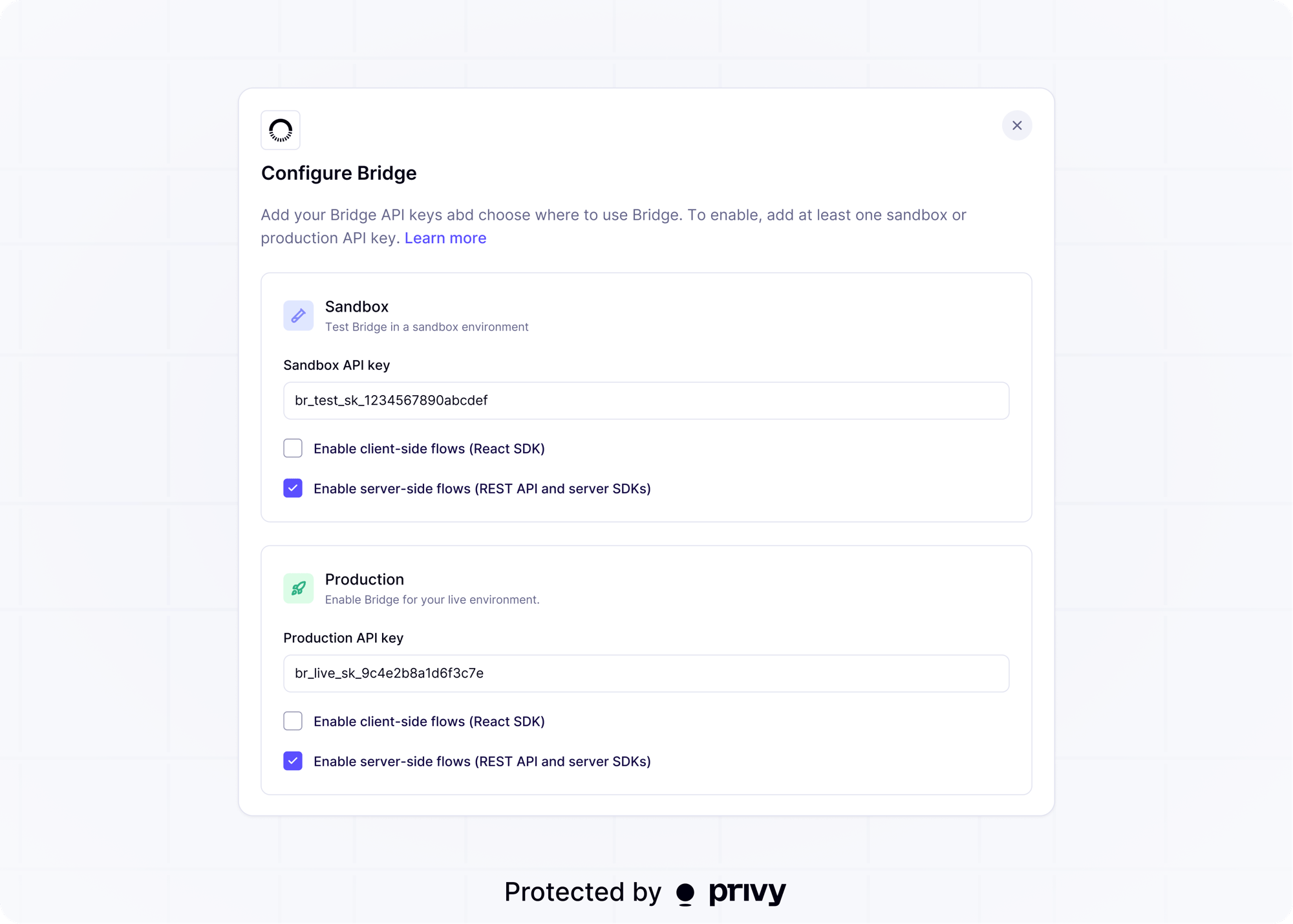
Register a Bridge API key in the Privy Dashboard under [Onramps > Bridge > Configure](https://dashboard.privy.io/apps?page=funding) and enable **server-side flows (REST API and server SDKs)** for the environment your app is using. See [KYC and KYB setup](/kyc-kyb/setup) for the full walkthrough.
 Manage these resources through Privy only. Creating, modifying, or deleting the underlying
customers, virtual accounts, or external accounts directly in the Bridge API or Bridge dashboard
can leave Privy and Bridge out of sync and break the integration.
## Next steps
Provision bank details for a wallet
Learn how wallets are attributed to a verified user or organization
Manage these resources through Privy only. Creating, modifying, or deleting the underlying
customers, virtual accounts, or external accounts directly in the Bridge API or Bridge dashboard
can leave Privy and Bridge out of sync and break the integration.
## Next steps
Provision bank details for a wallet
Learn how wallets are attributed to a verified user or organization