> ## Documentation Index
> Fetch the complete documentation index at: https://docs.privy.io/llms.txt
> Use this file to discover all available pages before exploring further.
# Bank deposits
> Start a bank transfer funding flow with the useFundWalletWithBankDeposit hook from @privy-io/react-auth
This feature is experimental and may change as we iterate.
## Prerequisites
This hook requires Bridge API keys. If your app does not already have a Bridge account, [request access at Bridge](https://hubs.ly/Q03ynjWL0) and obtain API keys.
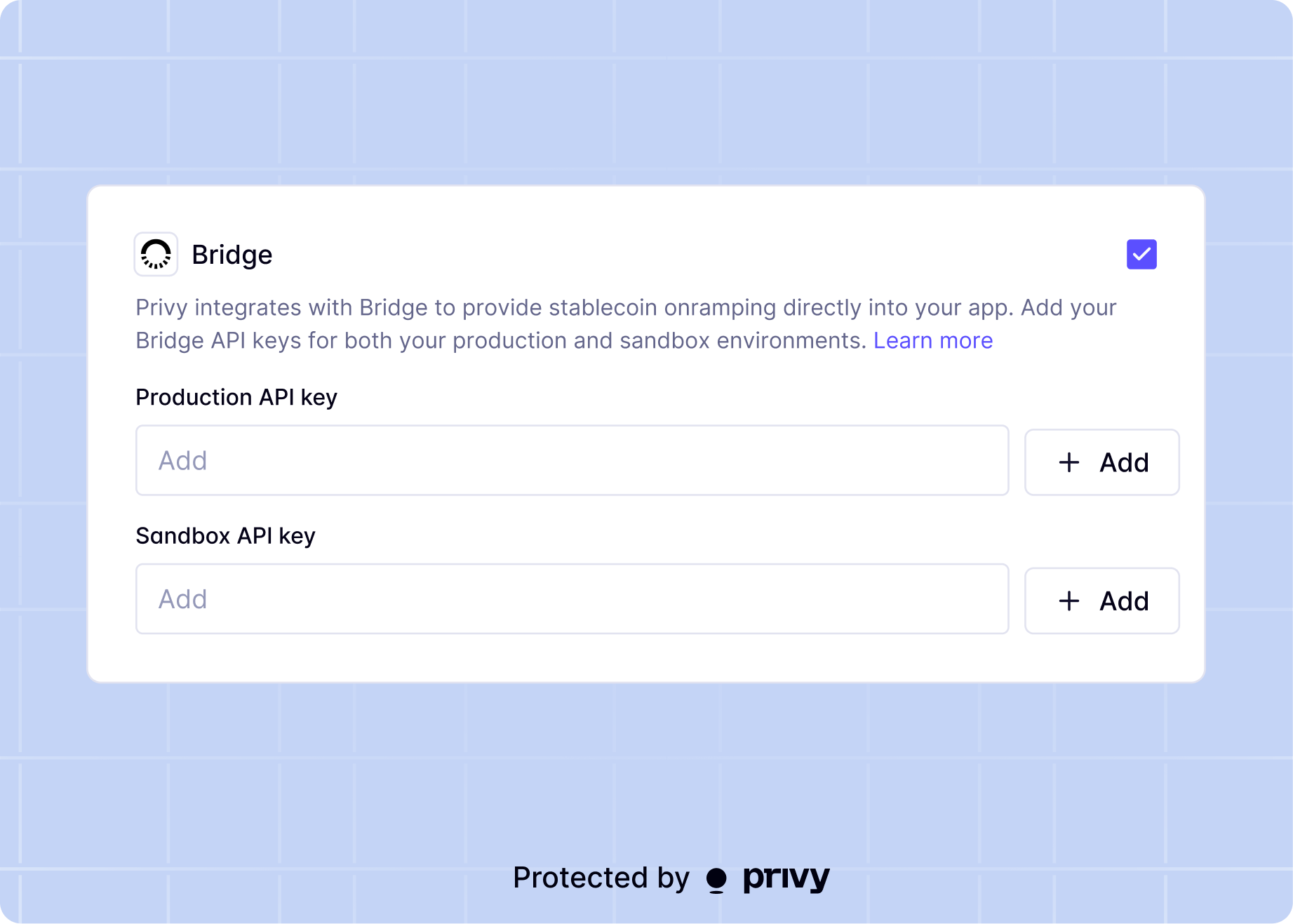
Then, enable the bank transfer method on the [Account Funding](https://dashboard.privy.io/apps?page=funding) page in the Privy dashboard. Enter your Bridge API keys when prompted, and save.
## Overview
Privy provides a `useFundWalletWithBankDeposit` hook in `@privy-io/react-auth` that starts a bank deposit funding flow in the Privy modal.
Your app can use this hook to let authenticated users fund a wallet by transferring fiat from a bank account. The user completes KYC verification, then receives virtual account deposit instructions for a bank transfer (ACH, wire, or SEPA). The onramp provider converts the fiat deposit into crypto and delivers it to the destination wallet.
## Access the hook
Import and initialize `useFundWalletWithBankDeposit`:
```tsx theme={"system"}
import {useFundWalletWithBankDeposit} from '@privy-io/react-auth';
const {fund} = useFundWalletWithBankDeposit();
```
## Start a bank deposit flow
Call `fund` with source currency options, a destination wallet, and an onramp provider.
```tsx theme={"system"}
await fund({
source: {
assets: ['usd', 'eur']
},
destination: {
asset: 'usdc',
chain: 'eip155:8453',
address: ''
},
provider: 'bridge'
});
```
`destination.chain` accepts a CAIP-2 identifier (for example, `eip155:8453` for Base or
`solana:mainnet` for Solana).
## Parameters
`fund` accepts an object with the following fields:
| Parameter | Type | Description |
| --------------------- | ---------------------------------------------------------- | --------------------------------------------------------------------------------------------------------------------------------------------- |
| `source.assets` | `('usd' \| 'eur' \| 'mxn' \| 'brl' \| 'gbp')[]` | Required. The list of fiat source currencies your app allows. Must be non-empty. |
| `source.defaultAsset` | `'usd' \| 'eur' \| 'mxn' \| 'brl' \| 'gbp'` | Optional. The source currency pre-selected when the flow opens. Falls back to the locale currency, then to the first item in `source.assets`. |
| `destination.asset` | `'usdb' \| 'usdc' \| 'usdt' \| 'dai' \| 'pyusd' \| 'eurc'` | Required. Destination crypto asset for this flow. |
| `destination.chain` | `` `${string}:${string}` `` | Required. Destination chain in CAIP-2 format. |
| `destination.address` | `string` | Required. Destination wallet address for deposited funds. |
| `provider` | `'bridge' \| 'bridge-sandbox'` | Required. The onramp provider that processes the bank deposit. |
## Return value
`fund` returns a Promise that resolves to an empty object (`{}`) on success. The Promise resolves once the user completes the flow and receives virtual account deposit instructions.
## Error handling
`fund` rejects on invalid configuration, failed KYC verification, or incomplete flows. Common error cases include:
* `source.assets` is empty
* the onramp provider fails to create a customer or virtual account
* the onramp provider rejects the user's KYC verification
* the user closes the flow before completing KYC or receiving deposit instructions
Wrap calls in `try/catch` and show clear UI feedback.
## Complete example
```tsx theme={"system"}
import {useState} from 'react';
import {useFundWalletWithBankDeposit} from '@privy-io/react-auth';
export const BankDepositButton = ({address}: {address: string}) => {
const {fund} = useFundWalletWithBankDeposit();
const [isLoading, setIsLoading] = useState(false);
const onFundWallet = async () => {
setIsLoading(true);
try {
await fund({
source: {
assets: ['usd', 'eur', 'gbp'],
defaultAsset: 'usd'
},
destination: {
asset: 'usdc',
chain: 'eip155:8453',
address
},
provider: 'bridge'
});
// The user completed the flow and received deposit instructions.
} catch (error) {
// Show retry UI or an error banner.
console.error(error);
} finally {
setIsLoading(false);
}
};
return (
);
};
```
## Use with deposit addresses
Apps that already use deposit addresses to receive funds on behalf of users can pass that address directly as the `destination.address` in the `fund` call. The bank deposit flow delivers the converted crypto straight to the deposit address, letting your app credit the user's account through your existing settlement logic.
```tsx {7-9} theme={"system"}
const onFundDepositAddress = async () => {
return await fund({
source: {
assets: ['usd']
},
destination: {
address: depositAddress,
asset: 'usdc',
chain: 'eip155:8453'
},
provider: 'bridge'
});
};
```
The `destination.address` does not need to be the user's own wallet. It can be any valid address
your app controls, such as a per-user deposit address generated by your backend. Set
`destination.asset` and `destination.chain` to match the crypto asset and network that the deposit
address expects as input.
## Headless integration
Your app can embed headless bank deposit onramp and offramp functionality using the Bridge API directly, without Privy's modal UI. This gives full control over the user experience for KYC, virtual account creation, and fiat-to-crypto conversion. See the [headless bank deposit](/recipes/bridge-onramp) recipe for a complete walkthrough.
 ## Overview
Privy provides a `useFundWalletWithBankDeposit` hook in `@privy-io/react-auth` that starts a bank deposit funding flow in the Privy modal.
Your app can use this hook to let authenticated users fund a wallet by transferring fiat from a bank account. The user completes KYC verification, then receives virtual account deposit instructions for a bank transfer (ACH, wire, or SEPA). The onramp provider converts the fiat deposit into crypto and delivers it to the destination wallet.
## Access the hook
Import and initialize `useFundWalletWithBankDeposit`:
```tsx theme={"system"}
import {useFundWalletWithBankDeposit} from '@privy-io/react-auth';
const {fund} = useFundWalletWithBankDeposit();
```
## Start a bank deposit flow
Call `fund` with source currency options, a destination wallet, and an onramp provider.
```tsx theme={"system"}
await fund({
source: {
assets: ['usd', 'eur']
},
destination: {
asset: 'usdc',
chain: 'eip155:8453',
address: '
## Overview
Privy provides a `useFundWalletWithBankDeposit` hook in `@privy-io/react-auth` that starts a bank deposit funding flow in the Privy modal.
Your app can use this hook to let authenticated users fund a wallet by transferring fiat from a bank account. The user completes KYC verification, then receives virtual account deposit instructions for a bank transfer (ACH, wire, or SEPA). The onramp provider converts the fiat deposit into crypto and delivers it to the destination wallet.
## Access the hook
Import and initialize `useFundWalletWithBankDeposit`:
```tsx theme={"system"}
import {useFundWalletWithBankDeposit} from '@privy-io/react-auth';
const {fund} = useFundWalletWithBankDeposit();
```
## Start a bank deposit flow
Call `fund` with source currency options, a destination wallet, and an onramp provider.
```tsx theme={"system"}
await fund({
source: {
assets: ['usd', 'eur']
},
destination: {
asset: 'usdc',
chain: 'eip155:8453',
address: '