> ## Documentation Index
> Fetch the complete documentation index at: https://docs.privy.io/llms.txt
> Use this file to discover all available pages before exploring further.
# Unlinking server-side
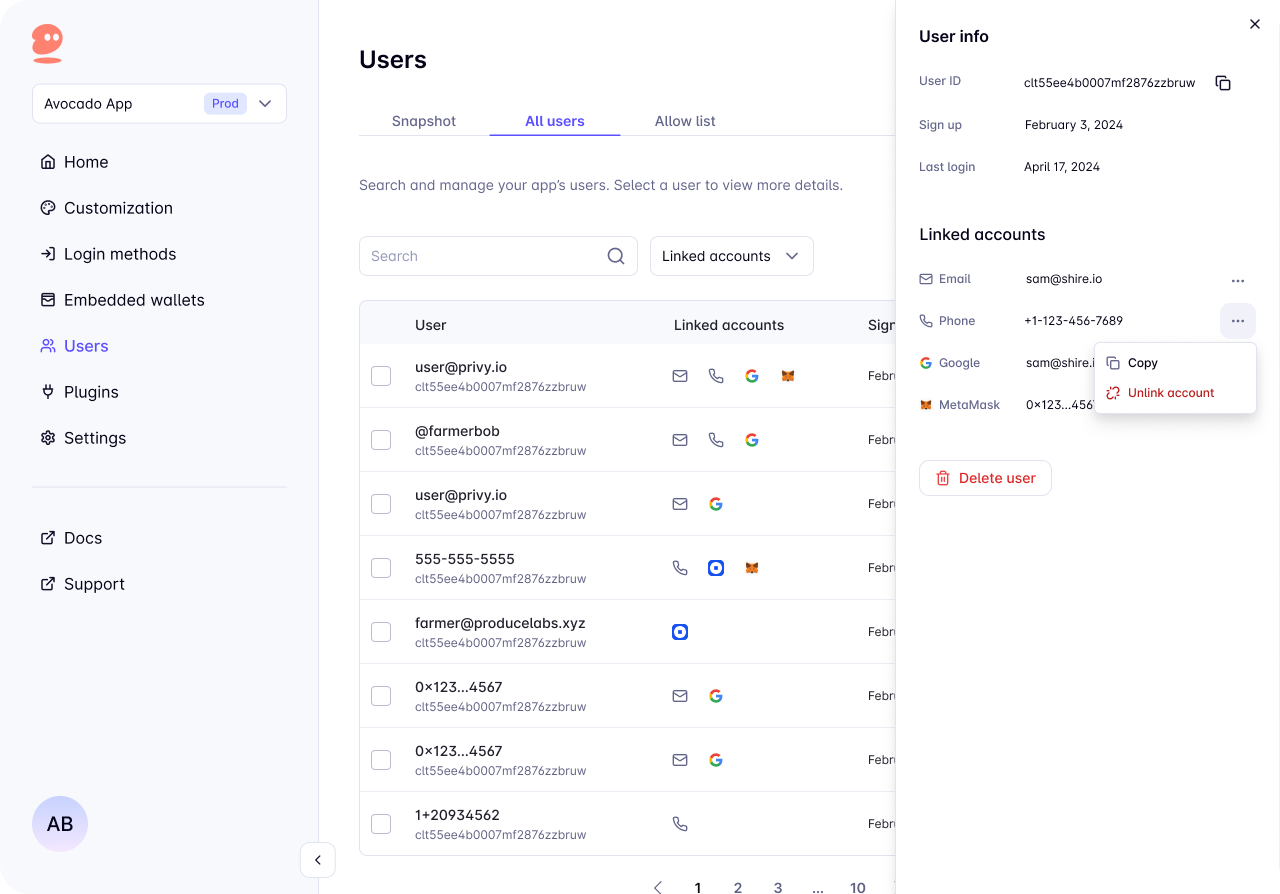
Privy enables app developers to unlink accounts from a user via their Privy DID and account information. This helps users who want to remove linked accounts by simply interacting with the Privy Dashboard or via an API call.
Embedded wallets and passkey accounts cannot be unlinked. If an account is the only one linked to
a user, it cannot be unlinked either.
## Unlinking Methods
Make a `POST` request to:
```bash theme={"system"}
https://auth.privy.io/api/v1/apps//users/unlink
```
Replace `` with your Privy app ID and pass in the following parameters:
| Parameter | Type | Description |
| --------- | -------- | -------------------------------------------------------------------- |
| `user_id` | `string` | Privy DID of the user |
| `type` | `string` | Linked account type (see supported types below) |
| `handle` | `string` | The identifier for the account (e.g., email address, wallet address) |
### Supported Account Types
The following account types can be unlinked via the API:
* `email` - Email accounts
* `phone` - Phone number accounts
* `wallet` - Externally connected wallets (Ethereum or Solana)
* `smart_wallet` - Smart contract wallets
* `farcaster` - Farcaster accounts
* `telegram` - Telegram accounts
* OAuth providers:
* `google_oauth`
* `discord_oauth`
* `twitter_oauth`
* `github_oauth`
* `linkedin_oauth`
* `apple_oauth`
* `spotify_oauth`
* `instagram_oauth`
* `tiktok_oauth`
The API does not support unlinking `passkey`, `custom_auth`, or `guest` account types.
### Example Requests
```bash Email Account theme={"system"}
curl --request POST "https://auth.privy.io/api/v1/apps//users/unlink" \
-u ":" \
-H "privy-app-id: " \
-H 'Content-Type: application/json' \
-d '{
"user_id": "",
"type": "email",
"handle": "test@privy.io"
}'
```
```bash Wallet Account theme={"system"}
curl --request POST "https://auth.privy.io/api/v1/apps//users/unlink" \
-u ":" \
-H "privy-app-id: " \
-H 'Content-Type: application/json' \
-d '{
"user_id": "",
"type": "wallet",
"handle": "0x1234...5678"
}'
```
```bash OAuth Account theme={"system"}
curl --request POST "https://auth.privy.io/api/v1/apps//users/unlink" \
-u ":" \
-H "privy-app-id: " \
-H 'Content-Type: application/json' \
-d '{
"user_id": "",
"type": "google_oauth",
"handle": ""
}'
```
### Response
If the unlinking is successful, the API will return a 200 status code.
If there's no account associated with the Privy DID that matches the type and handle, the API will return a 400 status code.
To unlink via the dashboard:
1. Navigate to the [Users page](https://dashboard.privy.io/?page=users\&tab=all-users)
2. Select the user
3. Click the button beside the account you want to unlink
4. Click `Unlink account`
The unlink option won't appear if unlinking is not available for the account.