> ## Documentation Index
> Fetch the complete documentation index at: https://docs.privy.io/llms.txt
> Use this file to discover all available pages before exploring further.
# UI components
> Use Privy pre-built login modal UI component for quick authentication integration
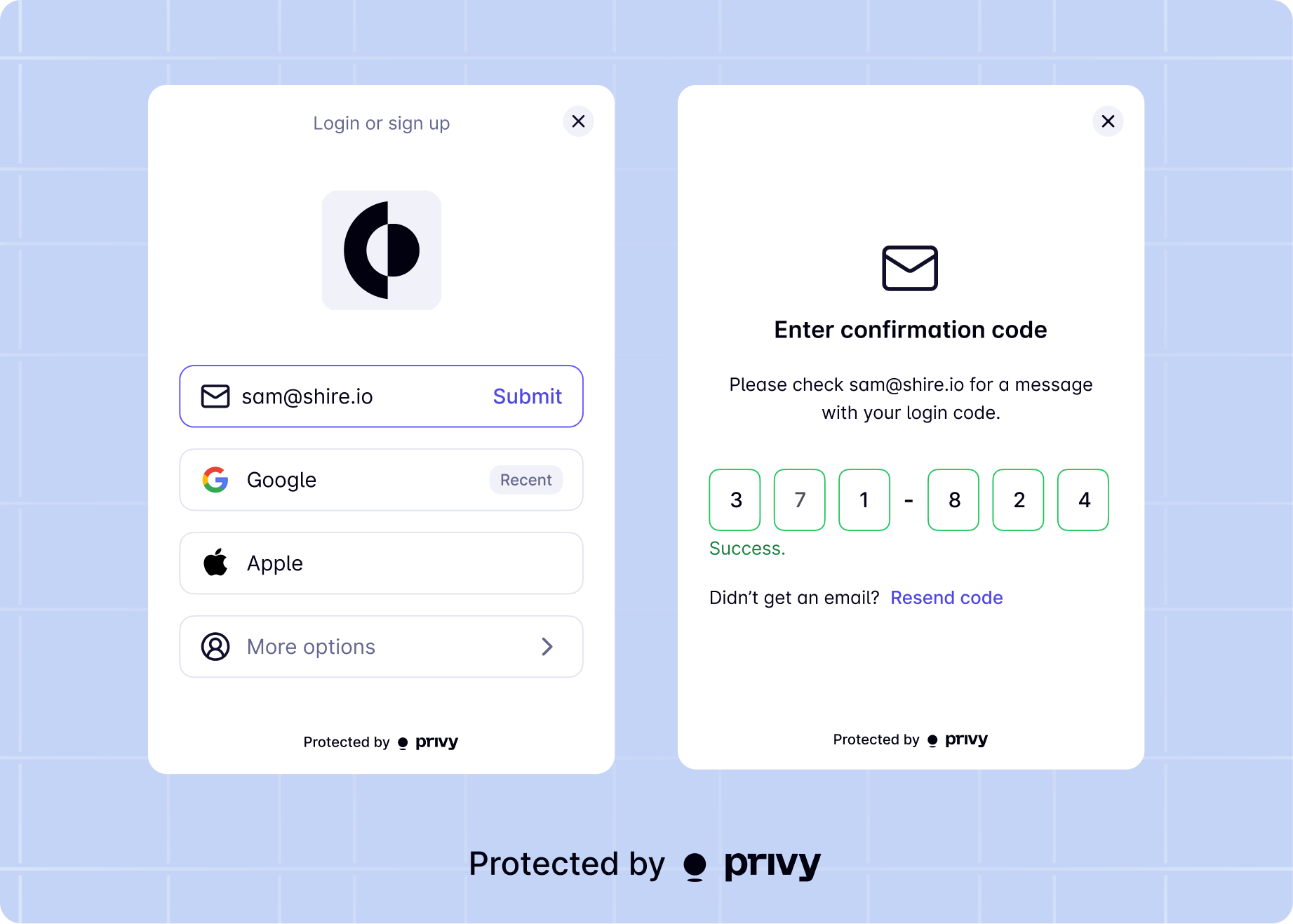
Privy supports easy onboarding with an out-of-the-box user interface to log users in.
The fastest way to integrate Privy is with the Privy login modal. Your application can integrate this modal in just a few lines of code and easily toggle on login methods for your application in the Privy dashboard.
You can also design your own login UIs, and integrate with Privy's authentication APIs to offer a login experience that feels seamless within your application.
[Configure your login methods](/basics/get-started/dashboard/configure-login-methods) in the Privy
Dashboard before using the UI components.
Privy's UIs are highly-customizable to seamlessly match the branding and design system of your
app. Learn more about [customizing the login modal](/basics/react/advanced/configuring-appearance).
To have users login to your app with Privy's UIs, use the `login` method from the `useLogin` hook.
```tsx theme={"system"}
login: ({ loginMethods: PrivyClientConfig['loginMethods'], prefill?: { type: 'email' | 'phone', value: string }, disableSignup?: boolean, walletChainType?: 'ethereum-only' | 'solana-only' | 'ethereum-or-solana' }) => PrivyUser;
```
### Usage
```tsx theme={"system"}
import { useLogin, usePrivy } from '@privy-io/react-auth';
function LoginButton() {
const { ready, authenticated} = usePrivy();
const { login } = useLogin();
// Disable login when Privy is not ready or the user is already authenticated
const disableLogin = !ready || (ready && authenticated);
return (
);
}
```
### Parameters
Optionally specify which login methods to display in the modal.
The following login methods are supported:
Optionally pre-fill the login modal with the user's email or phone number.
Prevent users from signing up for your app. This is useful when you want to enforce that users can only log in with existing accounts.
Filter the login wallet options to only show wallets that support the specified chain type.
### Callbacks
You can easily attach callbacks to the `login` method using the `useLogin` hook. This allows you to run custom logic when a user successfully logs in or when there's an error.
```tsx theme={"system"}
import { useLogin } from '@privy-io/react-auth';
function LoginButton() {
const { login } = useLogin({
onComplete: ({ user, isNewUser, wasAlreadyAuthenticated, loginMethod, loginAccount }) => {
console.log('User logged in successfully', user);
console.log('Is new user:', isNewUser);
console.log('Was already authenticated:', wasAlreadyAuthenticated);
console.log('Login method:', loginMethod);
console.log('Login account:', loginAccount);
// Navigate to dashboard, show welcome message, etc.
},
onError: (error) => {
console.error('Login failed', error);
// Show error message
}
});
return ;
}
```
Callback that executes when a user completes authentication. If the user is already authenticated when the component mounts, this callback executes immediately. Otherwise, it executes after successful login.
The user object with DID, linked accounts, and more.Whether this is the user's first login or a returning user.Whether the user was already authenticated when the component mounted.The authentication method used ('email', 'sms', 'siwe', 'apple', 'discord', 'github', 'google', 'linkedin', 'spotify', 'tiktok', 'twitter', 'farcaster', 'passkey', 'telegram', 'line') or null if already authenticated.The account used for authentication with type ('wallet', 'email', 'phone', 'google\_oauth', 'twitter\_oauth', 'discord\_oauth', 'github\_oauth', 'spotify\_oauth', 'instagram\_oauth', 'tiktok\_oauth', 'linkedin\_oauth', 'apple\_oauth', 'line\_oauth', 'custom\_auth', 'farcaster', 'passkey').
Callback that executes when there's an error during login or when the user exits the login flow.
Make sure you have [properly configured PrivyElements](/basics/react-native/advanced/setup-privyelements) before using UI components for authentication.
**OAuth providers require URL scheme configuration**: If you plan to use social login methods (`google`, `apple`, `discord`, etc.) or integrate with global wallets, you **must** configure your app's URL scheme in the [App Client settings](/basics/get-started/dashboard/app-clients#allowed-url-schemes). Without this configuration, OAuth login will fail silently with "Authentication failed" errors.
Privy's UIs are highly-customizable to seamlessly match the branding and design system of your app. Learn more about [customizing the login modal](/basics/react-native/advanced/configuring-appearance).
To have users login to your app with Privy's UIs, use the `login` method from the `useLogin` hook.
```javascript theme={"system"}
login: ({ loginMethods: LoginMethod[], appearance?: { logo?: string } }) => void;
```
### Usage
```tsx theme={"system"}
import { useLogin } from '@privy-io/expo/ui';
function LoginButton() {
const { login } = useLogin();
return (